

Coastal Lighthouse on Rocky Bluff has 2344 pieces, 119 steps and a height of 35 cm. For lighting, we start by choosing what should glow, then check access for lights and wiring. The power connection needs to stay within reach.
We’ll use the documented builds to help you decide where to put lights and what to check before ordering them. The model descriptions and inventory counts are documented facts; the lighting positions below are proposals to check against the actual build, not verified fitting instructions. Transparent-part counts do not tell you how many lights to buy.
How to light a brick model starts with choosing the focal point
We’d give one feature priority, using the lighting to draw attention to a chosen detail. Keep the other visible surfaces less bright, and add secondary accents only where they support that focal point.
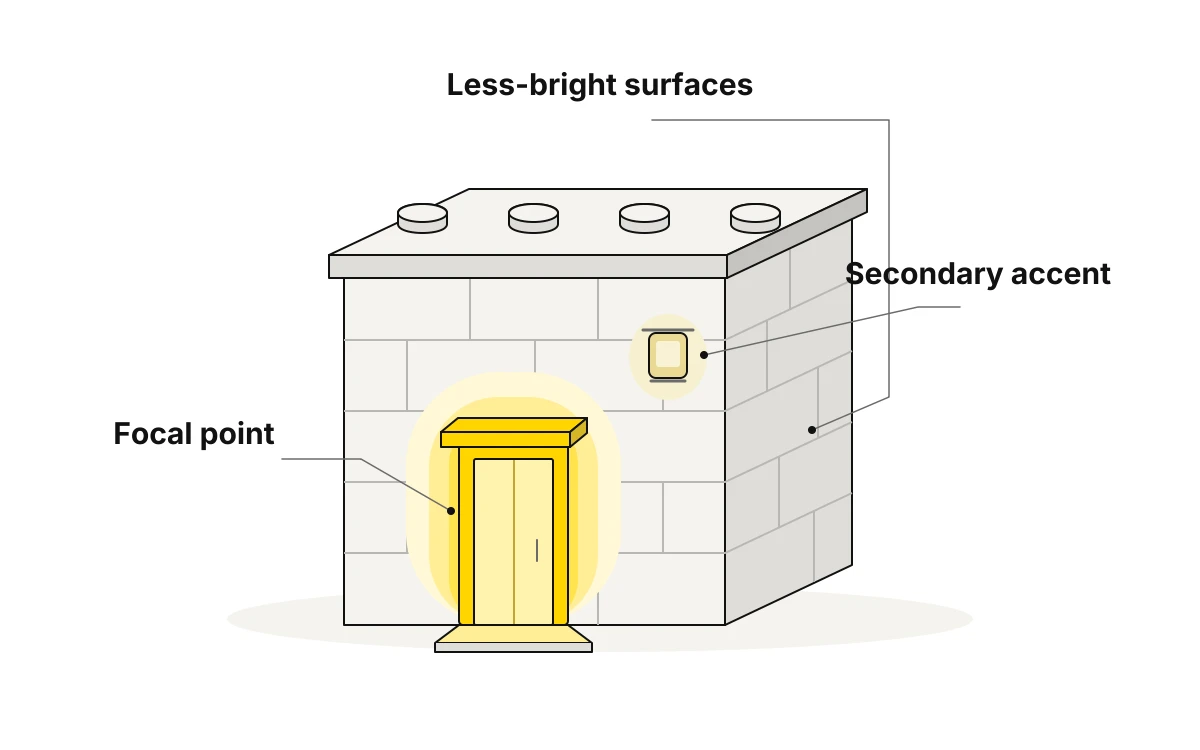
Plan the installation in three parts:
- Lights: decide which detail each light should reveal and where you want the glow to stop.
- Wiring: check whether the intended light position leaves space for a connection.
- Power: decide where the supply will sit and how you’ll disconnect it for maintenance.
Check each intended lighting position for usable internal space and access for replacement.
Coastal Lighthouse on Rocky Bluff: plan around the beacon
Coastal Lighthouse on Rocky Bluff is a brick-built model of a classic red-and-white banded lighthouse alongside a small cottage on a rugged rocky island. With the piece count, steps and height established above, we would plan the lighting around the beacon, giving it more emphasis than the rest of the scene.
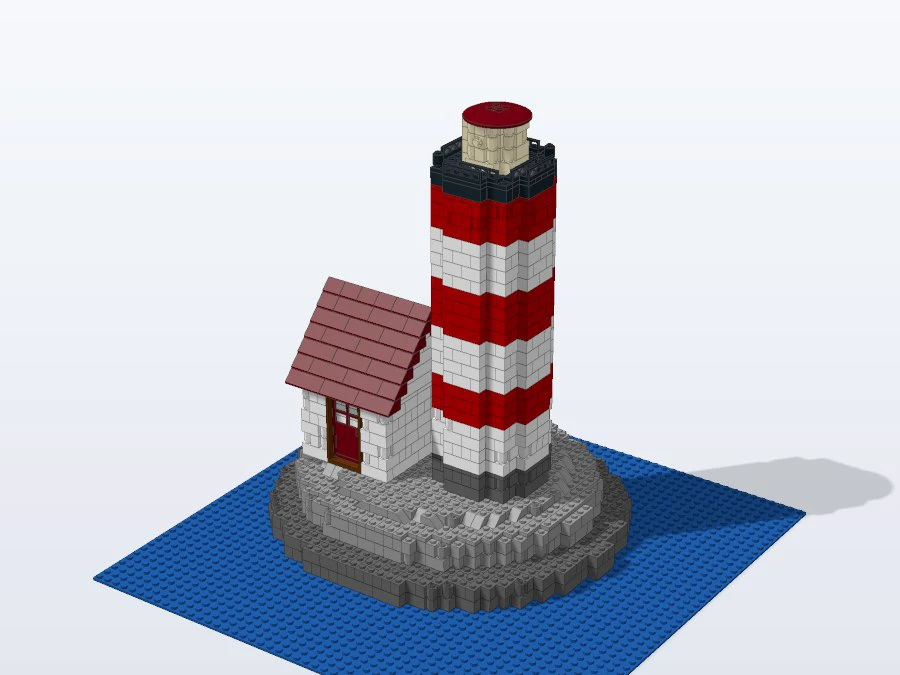
The size M version contains 44 Trans Yellow pieces and 3 Trans Clear pieces. Those transparent elements are worth checking in the instructions. The inventory alone does not tell us which belong to the beacon or whether there is room for a light behind them.
Before choosing components, locate those parts in the build steps and check where they sit relative to the proposed beacon position. Use the documented height to judge where the glow should draw the eye on your display. Check the actual space at that position before choosing component dimensions. We would leave the cottage and rocky island unlit to keep attention on the tower.
Hilltop Star Observatory: choose between building and path accents
Hilltop Star Observatory is a tan brick observatory with a white dome, dark blue trim, an outdoor telescope, neat paths, railings and lamp posts. The size M real-part set includes 8 Trans Clear pieces, 1 Trans Yellow piece and 1 Trans Light Blue piece. We would choose either the building as the focal point or the paths and lamp posts as proposed accents.
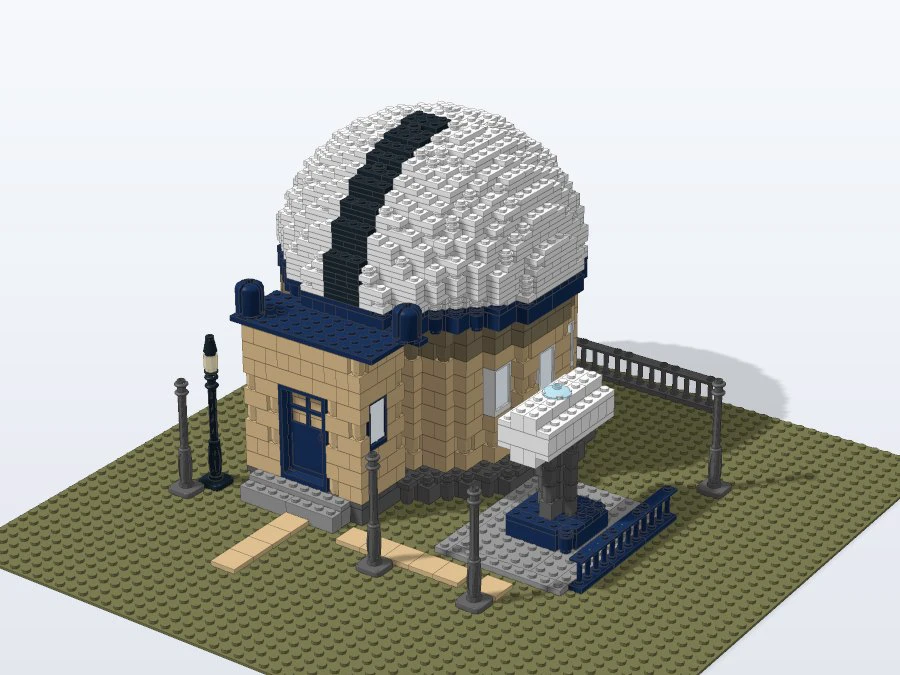
For a building-led display, keep attention on the dome and the contrast between the tan walls and dark blue trim. For a grounds-led display, look at the paths and lamp posts as candidate lighting targets. The posts should not be assumed to have room for lights.
Locate the transparent elements in the instructions and check whether their positions support the chosen focal point.
Check access and specifications before ordering lights
BrickLab’s 3D view, step-by-step manual with parts listed per step, and layer map let you inspect how the model goes together before choosing components.
- Match each proposed lighting position to the relevant steps and parts in the layer map.
- Identify which surrounding parts would need to come off to reach each target. An opening alone does not establish that you can reach and service the components.
- Measure the space available at the intended positions in the built model, then compare those measurements with the dimensions of the proposed lights, connectors and wiring.
- Check the supplier’s documented electrical requirements before ordering: match the supply voltage, provide the required current capacity, and confirm connector compatibility and polarity for the lights and wiring.
- Plan how you would reach connections and replace a component after assembly. If that access is impractical, revise the target before fitting anything.
Install, test and keep wiring accessible
Inspect the completed structure before fitting lights, checking the intended positions, cable routes and access points. Use a supply matching the lighting system’s documented electrical requirements, and test the lights before installation according to the supplier’s instructions.
Disconnect power before fitting or adjusting components. Route wires only where surrounding parts will not press on or pinch them. Never force parts together around cables; change the route if the parts no longer fit normally. Keep connections accessible for maintenance.
Test the lights again after fitting. If a light fails or flickers, disconnect power and check the wiring for loose connections, pinched cables or visible damage before testing again. Follow the supplier’s troubleshooting instructions, and do not power damaged wiring.